European Dropbox Paper Alternatives
A curated collection of the 13 best European alternatives to Dropbox Paper.
The best European alternative to Dropbox Paper is Proton Drive. If that doesn't suit you, we've compiled a ranked list of other European Dropbox Paper alternatives to help you find a suitable replacement. Other interesting alternatives to Dropbox Paper are: ONLYOFFICE, Collabora Online, CryptPad, and Nuclino.
Dropbox Paper alternatives are mainly Note-Taking Tools but may also be Team Collaboration Platforms or Office Suites & Digital Workspace. Browse these if you want a narrower list of alternatives or looking for a specific functionality of Dropbox Paper.
This list contains services from companies headquartered, including any parent companies, in the European Union (EU), the European Economic Area (EEA), the European Free Trade Association (EFTA), the United Kingdom, an EU candidate country, or a European microstate. Russia and Belarus are excluded. You can read more about the listing conditions here.

Written by Piotr Kulpinski
Dropbox Paper


Securely store, back up, and share your files with end-to-end encrypted cloud storage from Switzerland. Access your data anywhere, with privacy as a priority.

Proton Drive offers end-to-end encrypted cloud storage, ensuring that only you and those you choose can access your files. Developed by the team behind Proton Mail, it prioritizes your privacy. Key benefits include:
- Swiss Privacy Laws: Your files are protected by some of the world's strictest privacy regulations, as Proton is based in Switzerland.
- Open Source and Audited: The platform's code is open source and regularly audited by third-party security experts, promoting transparency and trust.
- No Data Access by Proton: Unlike many cloud providers, Proton cannot access your files, meaning your data remains entirely yours and is not used for advertising or shared with third parties.
- Collaborative Features: Create, share, and collaborate on documents in real-time with end-to-end encryption, ensuring your work is secure from breaches and surveillance.
- Secure File Sharing: Share files and folders with end-to-end encryption, with options for password-protected links and expiring links for enhanced control. There are no file size limits for sharing.
- Cross-Device Accessibility: Access your files 24/7 from any device, with automatic backups across multiple datacenters for data safety.
- Business Ready: Provides secure storage and collaboration for organizations, with control over permissions and data access, suitable for clients with high-security needs.
Proton Drive provides a free plan with full security features, with options to upgrade for more storage.

Open-source online editor for documents, spreadsheets, presentations, and PDFs. Features real-time collaboration, AI integration, and accessibility tools.

ONLYOFFICE Docs is a comprehensive online office suite that handles all your document needs in one unified platform. Create and edit text documents, spreadsheets, presentations, PDFs, and fillable forms without switching between different tools.
Key features include:
- Universal compatibility - Work with Microsoft Office formats and convert to Markdown, HTML, and PDF
- Real-time collaboration - Share documents, co-edit simultaneously, comment, and track changes
- AI-powered assistance - Generate content, check grammar, translate text, and get instant explanations
- Accessibility-focused design - Built to accommodate users with special needs and scalable up to 500%
- Multiple deployment options - Use in DocSpace cloud, integrate into existing platforms, or install locally
Security is paramount with open-source code on GitHub, three levels of encryption (at rest, in transit, end-to-end), and compliance with international security standards. The platform supports secure local AI models and offers granular document permissions.
Available across all platforms with free desktop apps for Windows, Linux, and macOS, plus mobile apps for iOS and Android. Developers can integrate the editor into their own applications using comprehensive APIs, while organizations can choose from cloud-hosted or self-hosted deployment options.

Powerful online document editing suite for teams. Compatible with Microsoft Office, GDPR compliant, self-hosted. Easy integration with 200+ partners worldwide.
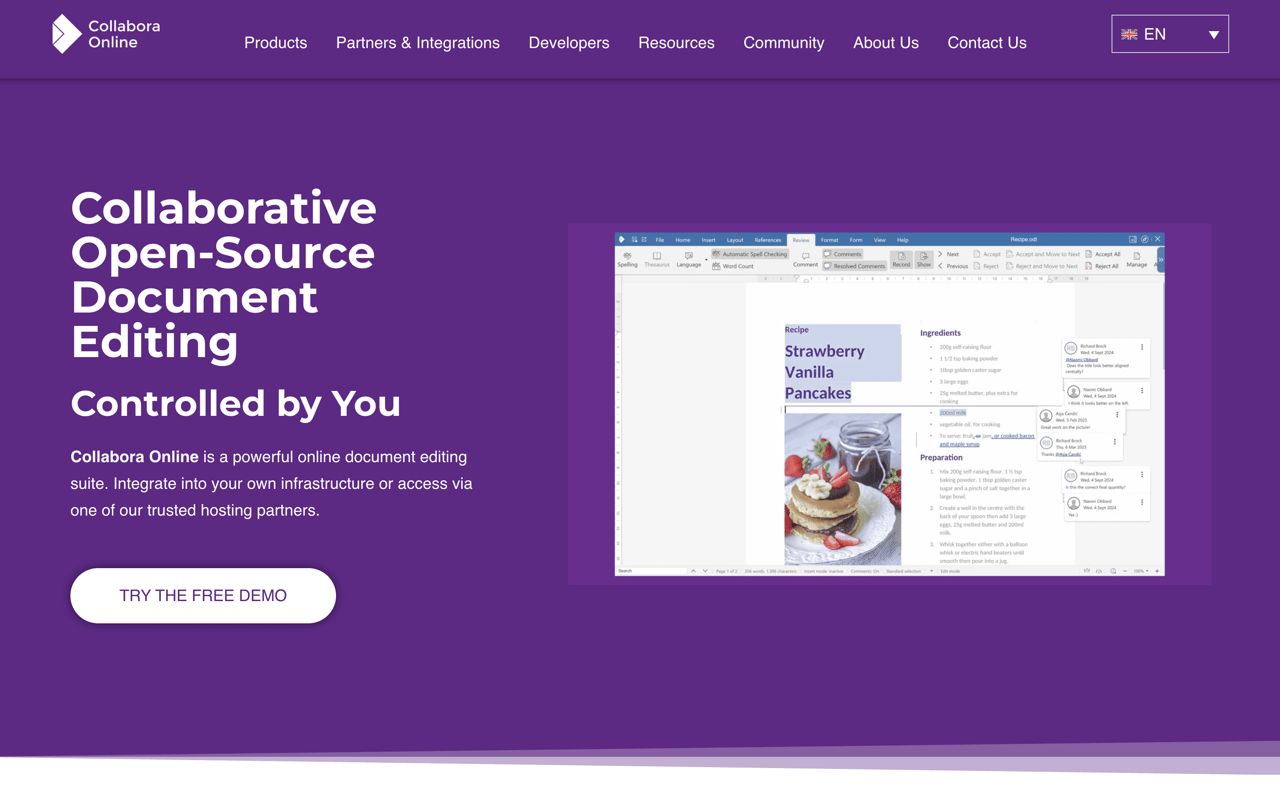
Collabora Online is a comprehensive open-source document editing platform that gives organizations complete control over their document collaboration. Built for teams who need secure, customizable document editing without vendor lock-in.
Key capabilities include:
- Real-time collaboration on text documents, spreadsheets, presentations, and drawings
- Microsoft Office compatibility with trillions of existing documents
- Self-hosted deployment ensuring data sovereignty and GDPR compliance
- Easy integration with existing infrastructure and applications
The platform serves diverse use cases from enterprise file sync and share to learning management systems and SaaS applications. With over 200 trusted partners worldwide, Collabora Online integrates seamlessly with popular platforms like Nextcloud, Univention, and CERN's infrastructure.
What sets it apart:
- Open-source foundation with transparent development
- Customizable integrations for any business workflow
- Multi-platform support - online, desktop, and mobile
- Enterprise-grade security with full audit trails
Trusted by universities, government agencies, and enterprises globally, Collabora Online delivers the freedom to collaborate while maintaining complete control over sensitive documents and data.

Open-source collaboration suite offering encrypted document editing, file sharing, and team workspaces with complete privacy protection.

CryptPad is a revolutionary collaboration platform that puts privacy first without sacrificing functionality. Built on zero-knowledge encryption, it ensures that only you and your collaborators can access your documents - not even the server administrators can read your content.
The platform offers a comprehensive suite of collaborative tools including rich text documents, spreadsheets, presentations, code editors, and whiteboards. All editing happens in real-time with multiple users, making it perfect for teams that need to work together seamlessly.
Key advantages include:
- End-to-end encryption for all documents and communications
- No registration required for basic use - share links directly
- Self-hostable open-source solution for complete control
- GDPR compliant with servers located in Europe
- Cross-platform compatibility works in any modern browser
Unlike traditional cloud services, CryptPad operates on a zero-knowledge architecture, meaning your data is encrypted before it leaves your device. This makes it ideal for sensitive business documents, legal work, journalism, or any scenario where confidentiality is paramount.
The platform supports team workspaces, shared folders, and granular permissions, making it suitable for both individual users and organizations seeking a privacy-focused alternative to mainstream collaboration tools.

Bring team knowledge, documents, and projects together in one simple, fast, and unified workspace. Organize information and manage tasks effectively.

Bring all your team's essential work into a single, accessible hub. Organize knowledge, manage projects, and share ideas effectively. This platform offers a modern, simple, and remarkably fast way to collaborate, with key advantages including:
- Unified Space: Say goodbye to scattered tools. Consolidate your workflows into one central place, preventing information silos and reducing the friction of context switching.
- Super Simple Interface: Enjoy an intuitive and clutter-free experience. The design is focused on simplicity, allowing your team to focus on what matters without unnecessary complexity.
- Blazingly Fast Performance: Work at the speed of thought. Benefit from quick setup, instant search that finds anything in a flash, and helpful hotkeys for maximum efficiency.
This approach allows you to bring knowledge, documents, and projects together seamlessly, creating a true collective brain for your team.

French collaborative platform based on Nextcloud open-source. Document editing, chat, video calls, and file sharing hosted on sovereign cloud infrastructure.

Leviia Next is a comprehensive collaborative suite built on Nextcloud open-source technology, designed specifically for organizations seeking digital sovereignty and independence from Big Tech. This French solution combines all essential workplace tools in one secure platform.
Core Features:
- File Storage & Sharing: Centralized file management with advanced permissions, seamless sync across all devices, and effortless sharing with internal and external partners
- Real-time Document Editing: Co-edit .docx, .xlsx, and .pptx files directly online with OnlyOffice integration, featuring full version history and change tracking
- Integrated Communication: Built-in chat and video conferencing through Nextcloud Talk, with screen sharing and end-to-end encryption
- Office Tools: Collaborative calendar, task management (Deck), forms, polls, and upcoming integrated email client
Sovereignty & Security:
- 100% French infrastructure with ISO27001 & HDS certification
- Data is geo-distributed across 3 distinct data centers in France
- Zero American or Chinese dependencies - built entirely on open-source code
- End-to-end encryption and advanced ransomware protection
Scalability & Flexibility:
- Supports individual users to hundreds of thousands of users
- Unlimited storage and users on Pro plans
- SSO integration and customizable deployment options
- Compatible with all major platforms (Windows, macOS, Linux, iOS, Android)
As a Nextcloud Platinum Partner, Leviia provides expert technical support and custom implementations, making it the ideal choice for organizations prioritizing data sovereignty without compromising on functionality or performance.

Take secure notes and collaborate in real time with encrypted docs, offline access, comments, and rich text support.

dDocs.new is a note-taking & document collaboration app that is end-to-end encrypted, open-source, and AI-free. The app requires no download or account, works online & offline, features Darkmode/colours, syncs cross-devices (no Cloud needed), and offers both Markdown and LaTeX support.
This privacy-first app is designed for all types of writing & secure collaboration, including real-time team collaboration, legal work with document versioning, fan fiction writing with customizability, student essays and university research. The app also ensures that users remain fully in control of their files and that not even the team behind the app can read users’ content or censor their account.
Built for modern workflows, it combines local-first reliability with a familiar in-browser editor, so you can write, review, and share documents without handing your data to a central platform.
Key features:
- End-to-end encrypted, AI-free editor (open-source)
- Real-time and async collaboration for teams
- Markdown & LaTeX support for technical/academic users
- Works online & offline, with cross-device sync (no Cloud needed)
- Customizable appearance: dark mode & color themes
This makes dDocs.new ideal for anyone who values privacy and flexible, durable collaboration.
Manage notes and data with local-first privacy, P2P sync, and open-source security. Enjoy offline access, fast performance, and full data ownership.

This application offers a local-first environment for managing your information, prioritizing user autonomy and data ownership. Experience remarkably fast loading times and secure, decentralized peer-to-peer synchronization. Its open-source nature ensures verifiable security and freedom.
Key benefits include:
- True Privacy: Your data is encrypted locally on your device, and only you hold the encryption keys. No third party can access your vault.
- Uninterrupted Access: Create your account offline and control your keys. With no central server, access your data via peer-to-peer sync, even on local networks, without gatekeepers.
- Verifiable Trust: Store your data locally and choose where to self-host your backups. Open protocols allow for building applications freely.
Compose and organize information with a powerful, no-code, block-based editor. Utilize features like databases, templates, and widgets. Visualize connections using graph and database views such as tables, Kanban boards, and galleries. The application is offline-first, ensuring your vault is always accessible on your device without lag, and offers fast peer-to-peer synchronization in local networks. Enjoy a native experience on both iOS and Android. Developed by a Swiss association, it emphasizes trust and user control.
Organize notes, docs, and tasks with an AI-powered collaborative workspace. Features real-time editing, integrated task management, and automatic knowledge linking.

Saga is a collaborative workspace designed to integrate your notes, documents, and tasks with the power of AI. It offers a simple and fast environment for both individuals and teams, aiming to help you make sense of your knowledge. Key benefits include:
- AI Assistant: Leverage the latest AI models to get things done faster, eliminating the need to copy and paste across different tools.
- Integrated Tasks: Manage tasks directly within your notes, including a Kanban view for visual organization and progress tracking.
- Real-time Collaboration: Work together seamlessly with your team. Edit, share, and stay synced. Free for up to 3 people.
- Connected Knowledge: Saga automatically interlinks your information, making it easy to find what you need. Features like fast search, automatic page linking, live blocks, references, and autocomplete enhance navigation and information discovery.
- Side-by-Side View: Open pages, tasks, or even Google Drive files next to each other in your workspace.
Saga emphasizes a beautiful interface that is easy to use, allowing you to focus on your work. It also boasts fast performance and instant synchronization. Deep integrations with apps like Google Drive further enhance its utility.
Organize your thoughts and ideas with a networked note-taking tool. Features AI assistance, calendar integration, offline mode, and robust data privacy.

Capacities offers a unique approach to note-taking, transforming it into a creative studio for your mind. Instead of traditional folders, it uses a networked note-taking system, allowing you to connect ideas naturally. Key features include:
- Contextual backlinks: See rich information about where your notes are linked.
- Tagging: Organize content with keywords and create comprehensive dossiers.
- Block linking: Link individual blocks of content for use across multiple objects.
- Calendar Integration: Connect your calendar to automatically create notes for meetings and events (Pro feature).
- Offline Mode: Access and edit your notes even without an internet connection.
- AI Assistant: Leverage AI to interact with your notes, ask questions, and generate ideas.
- Custom Object Types: Define your own content types with specific properties.
- Cross-platform availability: Use Capacities on desktop and mobile devices.
As a European company, Capacities is fully GDPR compliant, with data stored on encrypted servers in the EU. It emphasizes security with features like two-factor authentication and secure signed URLs for media. The mobile app provides quick capture, powerful search, and AI assistance on the go.

Unify company operations. Build custom workflows, connect teams, and manage projects, documents, and data all in one adaptable, interconnected platform.

Fibery is a work platform designed to replace scattered tools and connect teams, creating a unified operating system for your company. It allows you to ideate, plan, write, and analyze in one place using collaborative documents, whiteboards, and databases, eliminating the need for constant tab juggling and copy-pasting. The platform is highly flexible, enabling you to shape your workspace to match your unique processes, rather than conforming to rigid tool structures. As your business evolves, Fibery evolves with you.
Key benefits include:
- Customizable Databases & Fields: Capture and connect any kind of data, from structured numbers and dates to freeform rich text and whiteboards, creating a model of your organization.
- Versatile Views: Visualize data differently depending on the task at hand, ensuring clarity and focus.
- No-Code Automations & Formulas: Save time and simplify workflows using intuitive automation rules and buttons. Unleash JavaScript when extra power is needed, and use formulas for simple calculations or complex data aggregation.
- Interconnected Workspace: Bridge the gap between strategy and daily work, fostering cross-team collaboration and transparency for better alignment.
- Adaptability for Diverse Needs: Due to its modular nature, you can use it for a wide range of functions, from product development and document management to tracking vacations and building hiring pipelines.
Fibery helps you consolidate your toolset and build an integrated environment where each team gets exactly what they need. It offers enterprise-level security and support to help map any process into the system.

Transform document collaboration with real-time editing, version control, and secure sharing features that enhance team productivity and communication.

A powerful document collaboration platform that brings teams together for seamless content creation and editing. Real-time collaboration allows multiple users to work simultaneously on documents, with changes reflected instantly across all users.
The platform offers robust version control to track changes and maintain document history, making it easy to review edits and revert to previous versions when needed. Smart commenting and annotation features enable contextual discussions right within documents.
Key features include:
- Intuitive rich text editing with formatting tools
- Secure document sharing with customizable permissions
- Automatic saving and backup
- Cross-platform compatibility for access anywhere
- Integration with popular productivity tools
- Offline mode for uninterrupted work
Whether you're writing business proposals, technical documentation, or creative content, Docs provides the tools needed for efficient document management and team collaboration.

Transform document workflows with secure digital signatures, seamless integrations, and AI-powered tools. Supports eIDAS compliance and multiple signature types.
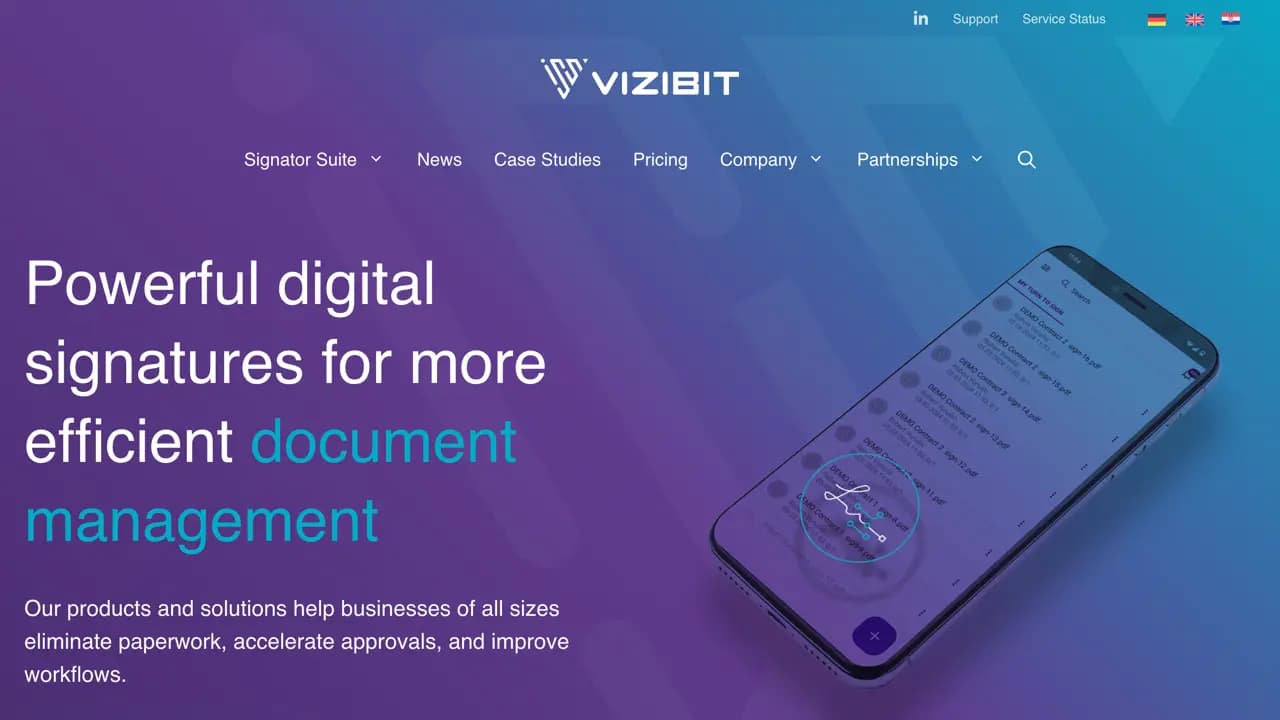
Vizibit revolutionizes document management with legally compliant digital signature solutions that eliminate paperwork and accelerate business processes. The platform offers comprehensive tools including SignFlows for multi-signature workflows, direct integration with Microsoft Office 365 and Google Workspace, and IdentHUB for secure identity verification.
Key features include:
- Multiple signature types: Qualified, Advanced, and Simple signatures
- eIDAS and ZertES compliance for legal certainty
- Pay-as-you-go pricing with transparent cost control
- Seamless integrations with existing business systems
- Multi-platform accessibility for signing anywhere, anytime
The solution serves diverse sectors from SMBs to large corporations and institutions. HR teams can digitize employment contracts, management gains signing flexibility, accounting automates invoice approvals, and legal departments ensure document validity with audit trails.
With over 10 years of experience and certifications including ISO 9001, 27001, 27017, 27701, and 22301, Vizibit has earned trust from organizations like Croatian Pension Insurance Institute and A-Trust. The platform reduces document processing from weeks to just 5 minutes, cuts operational costs, and provides enhanced security with documents never leaving your digital environment.
Dropbox Paper
Find alternatives to

 Proton Unlimited – Your digital life deserves better than US tech.